Advanced PowerLinc Options
Indigo provides some advanced options for the various PowerLinc INSTEON interfaces. Select Configure… from the Interfaces→INSTEON/X10 Power Line menu, then (assuming you have a PowerLinc interface selected) click on the Interface Options… button. You'll see the Advanced PowerLinc Options dialog:
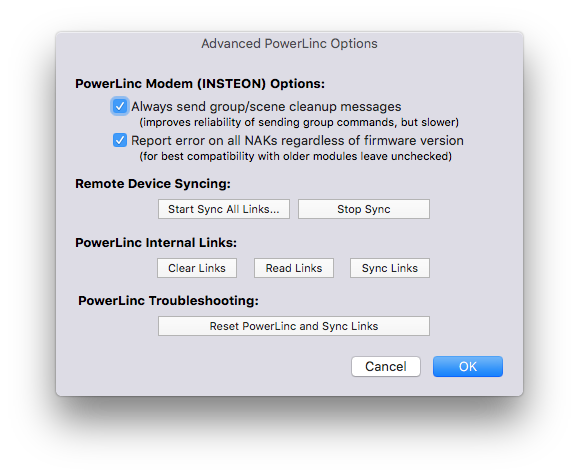
The first two options should always be checked by default - you really only want to disable those options if the Indigo Support team recommends it.
From this dialog, you can also perform some other link syncing operations:
- Start/Stop Link Sync (same as using the menu items on the
Interfaces→INSTEON/X10 Power Linemenu) - On your PowerLinc, you can clear all of its internal links, read all the links, and sync links. You normally won't use these options unless instructed by Indigo Support
- You can completely reset your PowerLinc and resync the links all in one go - this is roughly synonymous to doing a factory reset, but not quite. Indigo support will often recommend doing a factory reset vs using this option because the factory reset performs some actions that we can't do through software.